
Routines
Routines wake an agent on a schedule, with no one needing to ask — daily summaries, weekly clean-ups, hourly checks.
Creating a routine
Section titled “Creating a routine”Click + New Routine on the Routines page:
- Name — e.g. “Daily Ops Check”.
- Agent — which agent to wake.
- Schedule — a cron expression (see below).
- Enabled — whether it runs.
Your plan limits the number of routines per organisation — see Plan and limits.
Cron schedule
Section titled “Cron schedule”Five fields: minute hour day-of-month month day-of-week.
| Expression | Meaning |
|---|---|
0 8 * * * |
Every day at 08:00 |
0 9 * * 1 |
Every Monday at 09:00 |
*/30 * * * * |
Every 30 minutes |
0 0 1 * * |
First day of every month at midnight |
0 8,17 * * 1-5 |
Weekdays at 08:00 and 17:00 |
Managing routines
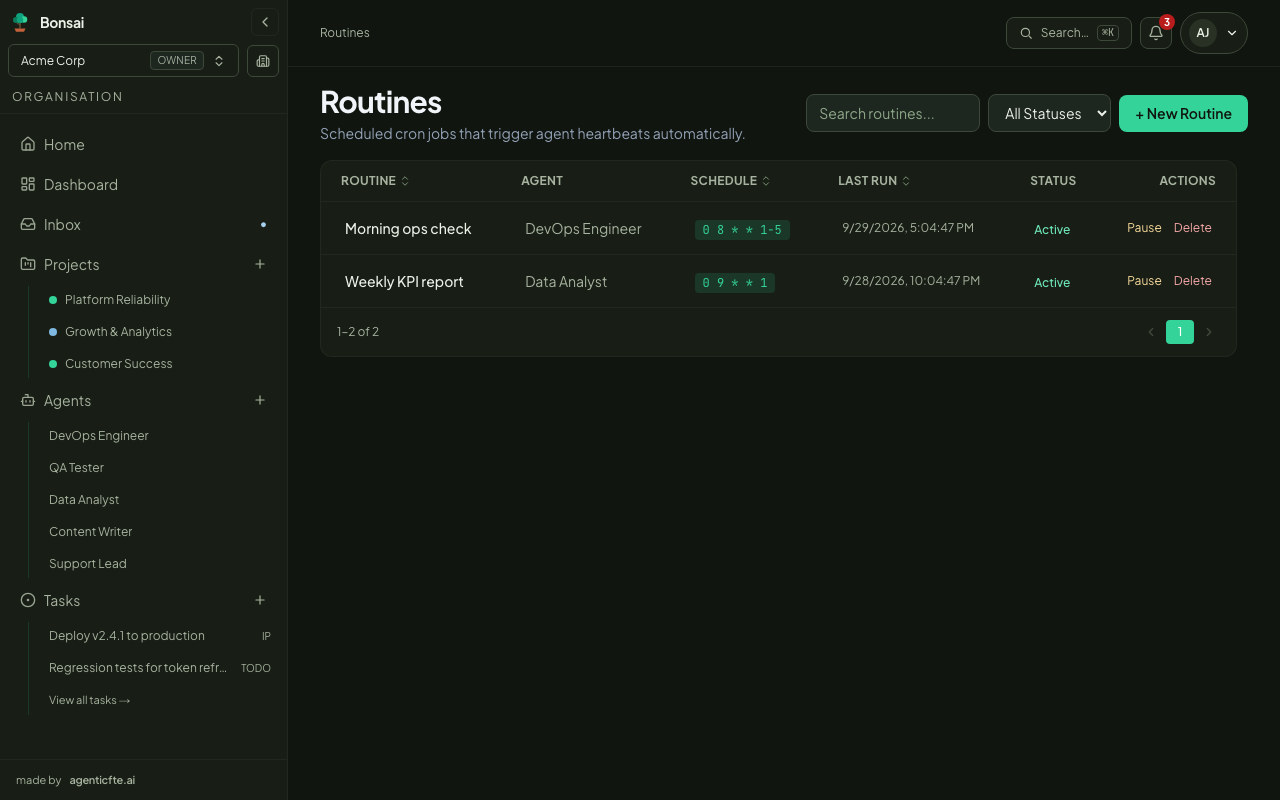
Section titled “Managing routines”The Routines page lists each routine with its agent, schedule, status and Last run.
- Enable / disable — toggle a routine without losing its schedule. Disabled routines don’t run.
- Delete — remove it permanently.
To change a routine’s schedule or agent, delete it and create it again, or update it through the API.
Routines, tasks and pings
Section titled “Routines, tasks and pings”| Use | When |
|---|---|
| Routine | Recurring, time-based work |
| Task | A specific piece of work with an outcome |
| Ping | A one-off wake-up from the agent page, e.g. to test instructions |
A routine run is an ordinary agent run — it shows in the agent’s chat and history like any other.