
Budgets & spend
Bonsai records what every agent run costs and lets you cap each agent’s monthly spend.
Per-agent budget
Section titled “Per-agent budget”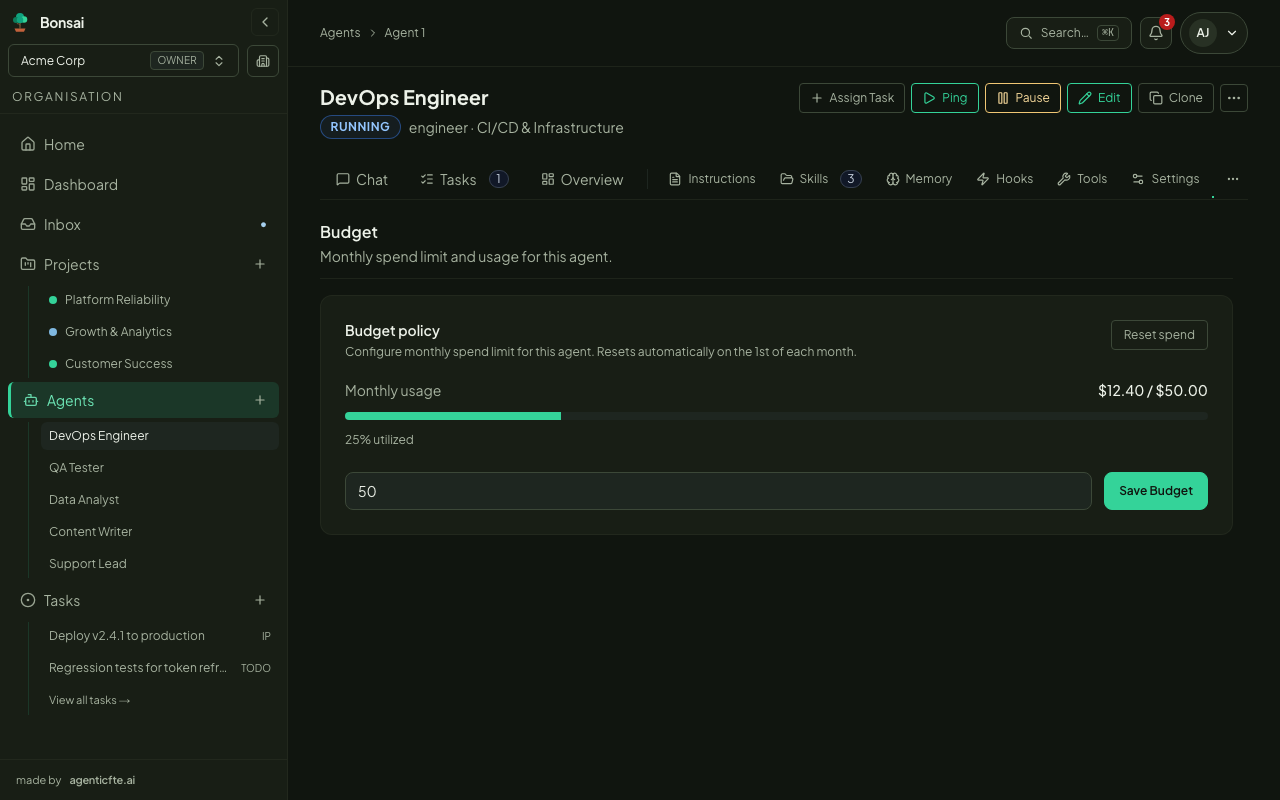
Set a monthly cap on the agent’s Budget tab (or in the creation wizard):
- Enter the limit in your currency (e.g.
50.00). Month-to-date spend and the percentage used are shown alongside. - You’re notified in the Inbox at 80% and 95% of the cap.
- At 100% the agent is set to
PAUSEDand starts no new runs until the month rolls over, the cap is raised, or the spend is reset. - Leave the field empty for no cap.
Raising the cap — save a higher value. Un-pausing — click Resume on the agent page. Resetting the month’s spend to zero is available to organisation owners.
Hooks can react to the same thresholds (budget.warning, budget.critical, budget.exceeded) — see Agents › Hooks.
Dashboard
Section titled “Dashboard”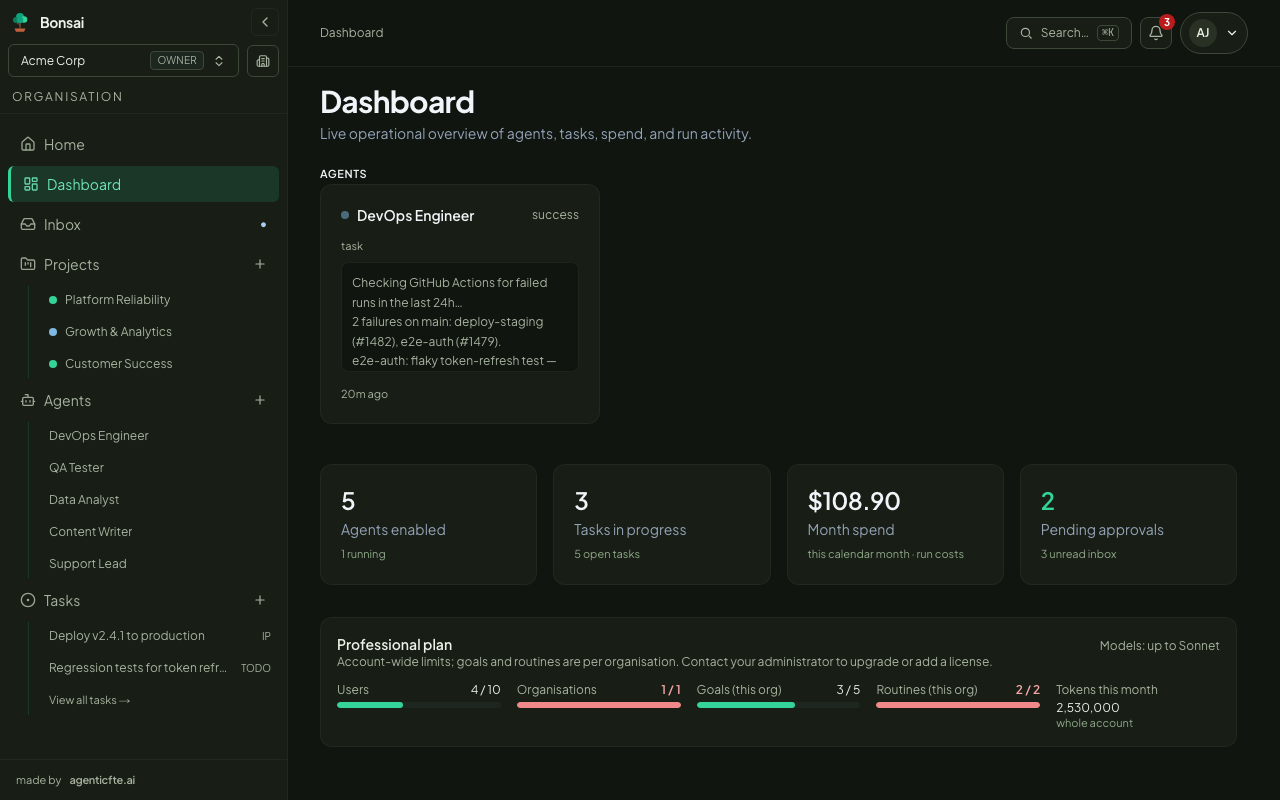
The Dashboard shows, for the current organisation:
- Month spend — the cost of this organisation’s runs in the current calendar month.
- Run activity — daily runs over the last 14 days, and the recent success rate.
- Plan (owners) — your plan’s limits and usage, and the tokens used this month across your company’s account. See Plan and limits.
How cost is calculated
Section titled “How cost is calculated”Each run’s cost comes from the token usage the AI provider reports — input, output, cached and reasoning tokens — priced for the model used. It’s recorded when the run finishes.